Admin
File URL Formatter
Learn how to customize file and image URLs in the Webiny admin app using the FileUrlFormatter extension point.
- what the FileUrlFormatter extension point is and where it applies
- how to implement and register a custom file URL formatter
- how to remap query parameters for your own CDN or image service
Overview
This extension point is most relevant if you are replacing Webiny’s built-in File Manager with your own Digital Asset Manager (DAM). If you are using the default File Manager, no configuration is needed.
File URLs for images displayed in the Admin app pass through the FileUrlFormatter extension point before being rendered.
You can customize how those URLs are constructed: remap parameters to your CDN’s own syntax, add authentication tokens, rewrite the host, or apply any other transformation your image delivery pipeline requires. For example, FilePicker calls format(url, { width: 128 }) when rendering thumbnails — a custom formatter can intercept that and swap the standard ?width=N for whatever your CDN expects.
Only one FileUrlFormatter is active at a time. When you register your own implementation it replaces the File Manager default — the last implementation registered wins.
Implement the Formatter
Create an implementation of FileUrlFormatter. The url object is mutable — modify it in place. params.width is the only supported parameter.
Register the Formatter
Wrap the implementation in a feature and mount it with RegisterFeature:
Then add the extension to your webiny.config.tsx:
With the extension registered, file thumbnails in the Admin app will use your formatter. Here is the result:
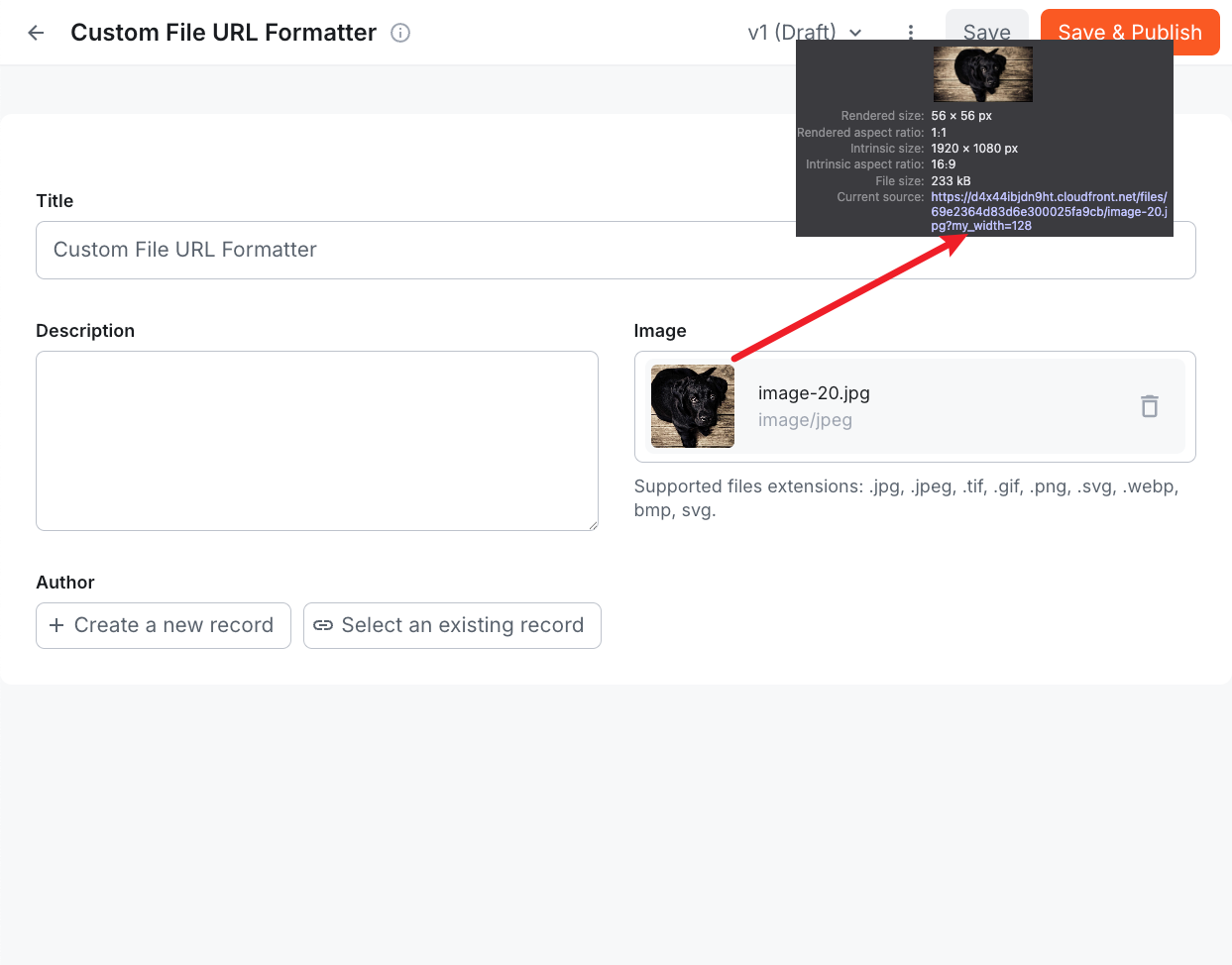 File URL Formatter result